









Introduction
Oracle EPM Cloud is updating its Groovy scripting engine to a newer, more secure version in January 2026.
This change is not just a background update — it directly affects how Groovy-based business rules and templates run across EPM modules. If your applications rely heavily on Groovy (as most advanced Planning and FreeForm implementations do), you’ll need to validate and update your scripts before this new engine goes live.
This post provides a deep dive into the Groovy Validator, what’s changing in the engine, how to fix common errors, and best practices to prepare your EPM applications for the update.
Background: Why the Groovy Engine Is Being Updated
The Groovy engine used in EPM Cloud has been on an older runtime for several years. Oracle is now upgrading it primarily for security, maintainability, and compatibility with modern Groovy 3.x features.
Originally planned for November 2025, the upgrade timeline has been adjusted:
- Original: November 2025
- Rescheduled: December 2025
- Current: January 2026
This gives customers additional time to validate their code and fix any breaking changes.
Why Oracle Made This Change
- Security: Address known vulnerabilities in the older Groovy runtime.
- Performance: Enhanced script compilation and runtime efficiency.
- Maintainability: Modern syntax and stricter type enforcement to align with Groovy 3.x standards.
Impacted EPM Modules
This change applies to all Groovy-enabled EPM Cloud applications:
- Planning (Custom, Modules, Workforce, Sales, Cash Forecasting)
- Enterprise PCM
- Financial Consolidation & Close
- Tax Reporting
- FreeForm
Out-of-box module rules will be automatically remediated with release 26.01, but custom Groovy rules will require manual validation and updates.
The Groovy Validator — Your First Line of Defense
Oracle provides a built-in tool called the Groovy Script Validator to help identify incompatible code before the new engine goes live.
🔧 How to Run the Validator
1.Go to Application → Overview → Actions → Run Groovy Script Validator
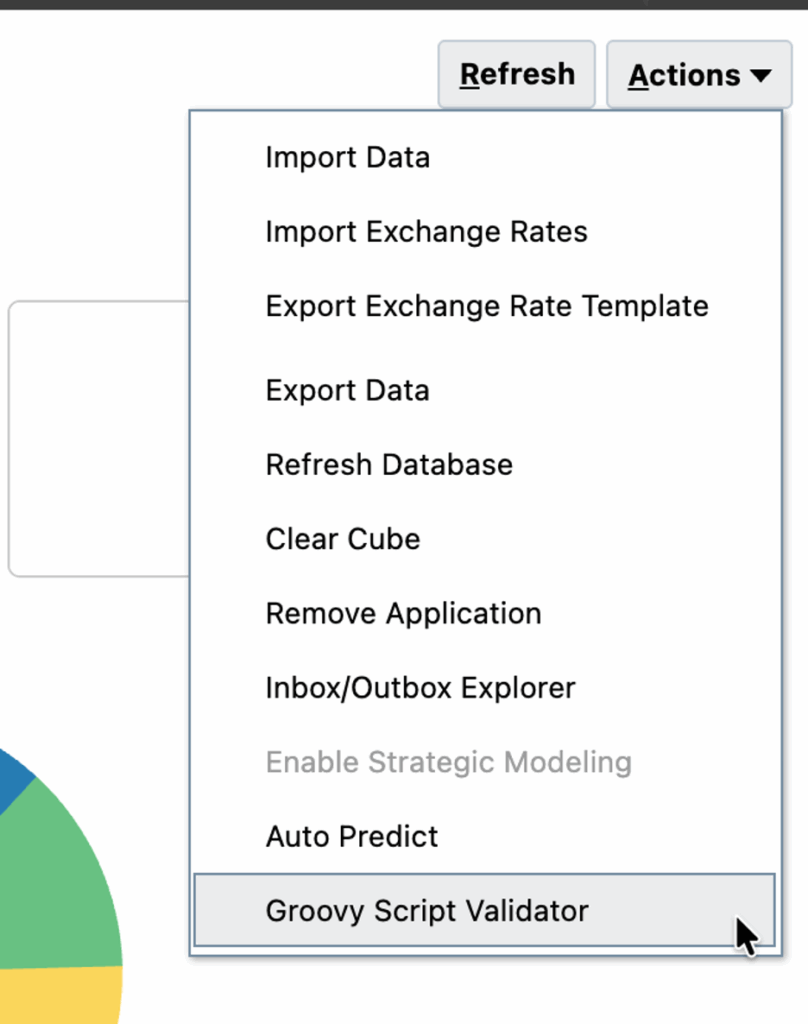
2.Monitor progress in Jobs
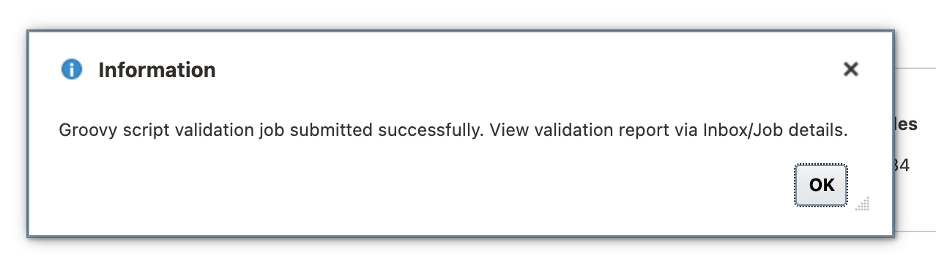
3.Once completed, download the output file GroovyValidationReport.html
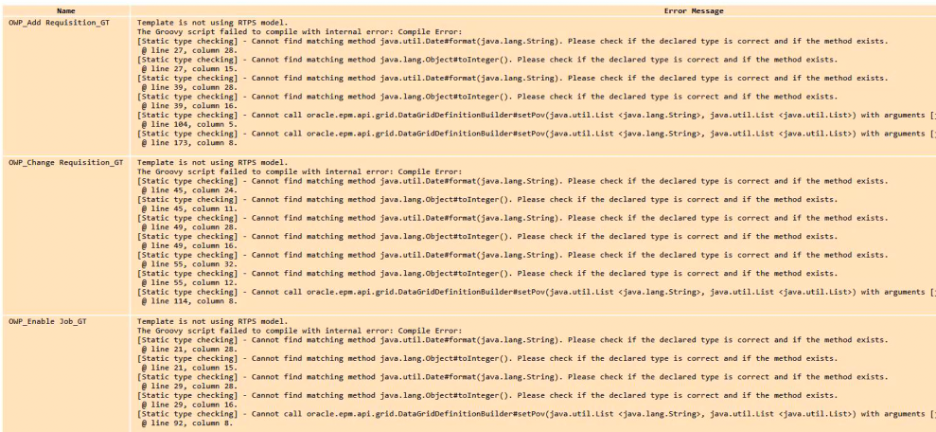
The HTML report lists:
- Each Groovy business rule
- Detected syntax or runtime issues
- Line numbers and validation messages
- Recommendations or hints for correction
4.Understanding the Validator Output
A validation report might look like this:
Rule: Forecast_Revenue_Calc
Error: Cannot assign value of type java.lang.Object to variable of type double
@ Line: 245
5.Key takeaway
The validator does not fix issues automatically — it flags what needs to be changed manually.
You’ll need to review each rule, update the script, and re-run the validator until no errors are reported.

Updating Your Groovy Scripts — Guidelines and Examples
Error1: Date format
Cannot find matching method java.util.Date#format()
Example:
println (“\nProcess started at ${(new Date()).format(“yyyy-MM-dd’,’HH:mm:ss”, TimeZone.getTimeZone(‘PST’))} PST”)
Data format issue
Fix
SimpleDateFormat sdf = new SimpleDateFormat(“yyyy-MM-dd’,’HH:mm:ss z”)
sdf.setTimeZone(TimeZone.getTimeZone(“PST”))
println “\nProcess started at ${sdf.format(new Date())}”
Error 2:
No such property: <groovy variable name> for class: groovy.lang.Binding
Example:
This may be the result of not using the RTPS model, and the variables are referenced via square brackets or curly braces.
Fix :
Use the rtps.<variable name>
Error 3:
Cannot assign value of type type java.lang.Object to variable of type double
Example:
def data = []
double valFor = data[0]
The error occurs because the List data is not explicitly typed, so Groovy treats it as a List<Object>. When you access an element from the List using data[0], it returns an object, which cannot be directly assigned to a double variable.
Fix:
To resolve this issue, do one of the following:
Explicitly type the list .
Define the list with the correct type, such as List<Double>.
For example:
List<Double> data = []
double valFor010 = data[0]
Cast the value to double.
Use the as double syntax to explicitly cast the object to a double value.
For example:
def data = []
double valFor010 = data[0] as double
Error 4:
Cannot assign value of type java.util.List <java.lang.String> to variable of type java.lang.String[]
Example:
String[] arrGridMbrs = it.getMemberNames()
The error occurs because it.getMemberNames() returns a List<String>, which is not directly assignable to a String[] array.
Fix:
To resolve this issue, add the as String[] cast to explicitly convert the List<String> to a String[] array.
For example:
String[] arrGridMbrs = it.getMemberNames() as String[]
Notes: Oracle’s October Update (25.10)
Good news: as of 25.10, certain deprecated date methods (Date.format(), Date.getAt(), Date.parse()) are now re-enabled for compatibility.
If you already ran the validator on 25.08 or 25.09, rerun it under 25.10 or later for more accurate results.
Best Practices for Groovy Validation and Migration
- Always use your TEST environment first
- Backup your application before making changes
- Run the validator now (not after 26.01)
- Make minimum required changes — don’t rewrite logic
- Keep all business logic and comments intact
- Re-run validator until no errors
- Deploy and test functionally before pushing to PROD
Real-World Example
In one of my current enterprise forecasting systems, our Planning apps are fully Groovy-drivenAfter running the Groovy validator for the first time, there were over 100 calculation rules having errors.
By applying Oracle’s recommended guidelines and re-running under 25.10, all rules passed validation in under two sprints, with zero business logic changes required.
Conclusion
The January 2026 Groovy Engine upgrade is a significant step forward for EPM Cloud’s stability and security — but it requires attention from developers.
The Groovy Script Validator is your best tool to proactively identify and fix issues before the cutoff.
By validating and adjusting your code now, you’ll ensure a smooth transition with no disruption to forecasting, calculation, or reporting logic.