








Introduction
Oracle has been steadily embedding AI and ML capabilities across the Cloud EPM suite. AI narrative reporting is not new. Since it got released, we start to see a very concrete and practical application of generative AI in Narrative Reporting. This post focuses on automated management report narratives, driven directly off report data and conditional formatting logic.
From a technical perspective, this feature is not about free-form AI chat or ad‑hoc prompting. Instead, it is a controlled, deterministic, and governance‑friendly implementation of GenAI, designed to enhance existing reporting patterns rather than replace them.
In this blog, I’ll walk through: What AI Narrative Reporting actually is (and what it is not) – How the overwrite / generation mechanism works – Configuration and setup details – Supported use cases – Prompt template customization – Performance considerations.
What Is GenAI in EPM Narrative Reporting?
GenAI for Narrative Reporting introduces AI‑generated textual narratives inside Narrative Reporting Reports, using existing Conditional Formatting and Conditional Text frameworks.
It is available only in Narrative Reporting (Enterprise SKU) – Report‑driven, not user‑interactive. AI output is generated at report render time. Uses a single shared Oracle Fusion AI service.
This is an important distinction: users do not “ask” questions. Instead, the report designer defines when and how AI narratives are generated.
High‑Level Architecture
At runtime, the flow looks like this:
- A user runs a Narrative Reporting report
- Report data is retrieved from EPM / Essbase / ERP sources
- Conditional formatting identifies cells meeting defined criteria
- ConditionalText + GenAI prompt is sent to the Fusion AI service
- Generated narrative text is returned
- The report renders with AI‑generated commentary
From Conditional Text to AutoTextSummary()
Historically, narrative text in reports was handled via:
- Hard‑coded text strings
- Conditional logic evaluated per report
- Repeated maintenance across multiple reports
GenAI builds directly on this framework by introducing a new function:
AutoTextSummary()
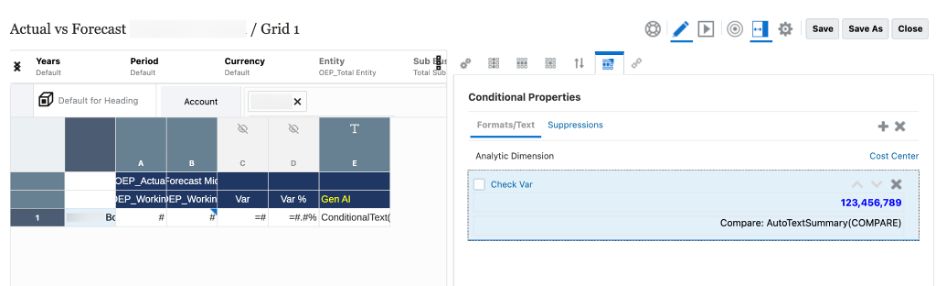
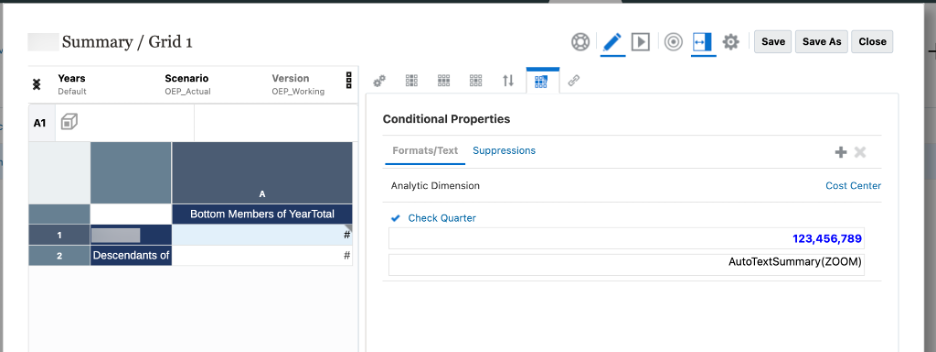
This function is used inside Conditional Text Formatting and triggers AI‑generated output instead of static text.
Supported Function Variants
| Use Case | Function Syntax |
| Describe Exception | AutoTextSummary() |
| Comparative Analysis | AutoTextSummary(COMPARE) |
| Exception with Causality | AutoTextSummary(ZOOM) |
Supported Use Cases
Oracle has intentionally limited itself to three high‑value, low‑risk scenarios.
1. Describe an Exception or Anomaly
Automatically describes a cell where a variance or threshold condition is met.
Example: > “Operating Expenses exceeded forecast by 12% in March, primarily driven by higher marketing spend.”
- Triggered by conditional formatting
- Single cell focus
- Most straightforward use case
2. Comparative Analysis
Compares a value against the prior period when columns are time‑based.
Key constraints:
- Period dimension only
- Same generation members (e.g., months only, quarters only)
- No mixed generation
3. Causality for Exceptions (Top Contributors)
This is the most powerful — and most expensive — use case.
- Examines immediate children of a dimension
- Identifies top contributors to a variance
- Uses ZOOM behavior
Important: The number of child members directly impacts runtime and AI calls.
Configuration: Enabling GenAI
GenAI narratives are opt‑in.
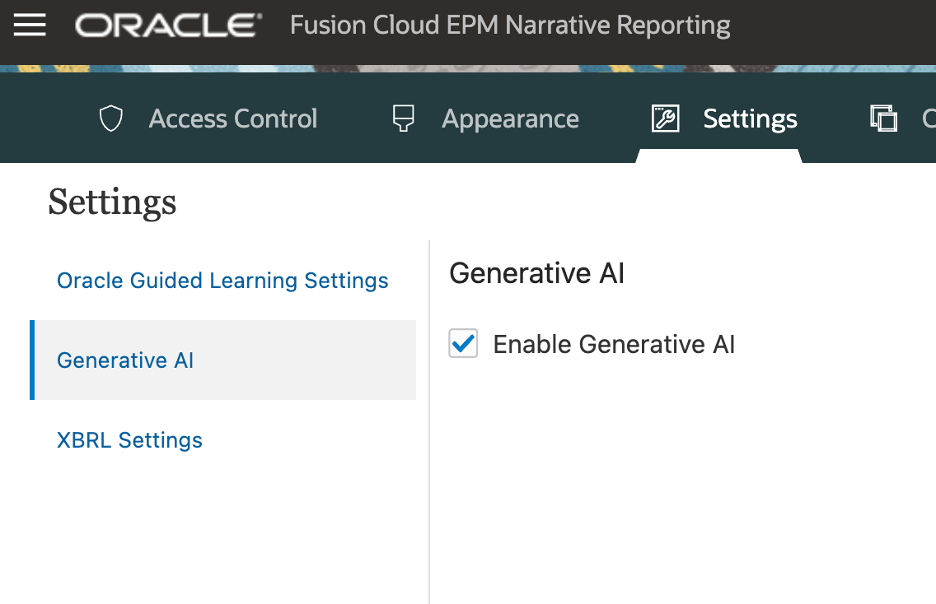
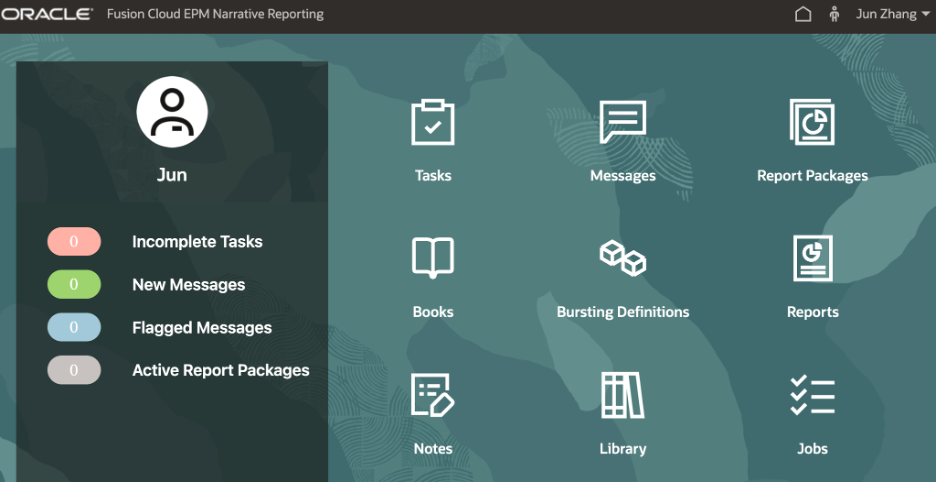
Once enabled: – A new Machine Learning Files card appears in Narrative Reporting – Prompt templates become configurable.
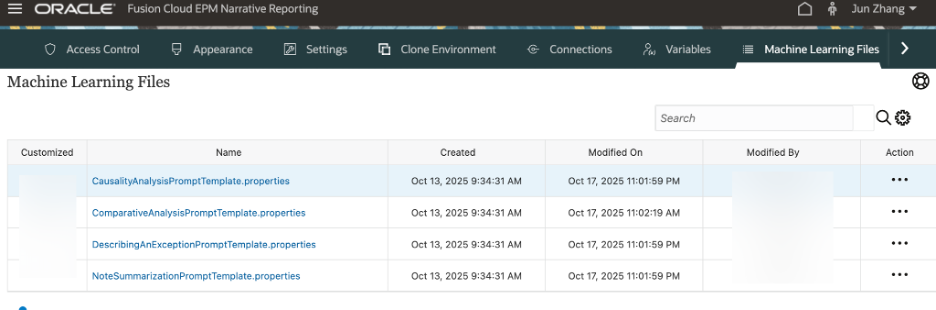
Prompt Template Properties Files
This is where most of the real power and responsibility sits.
Each use case has a corresponding properties file:
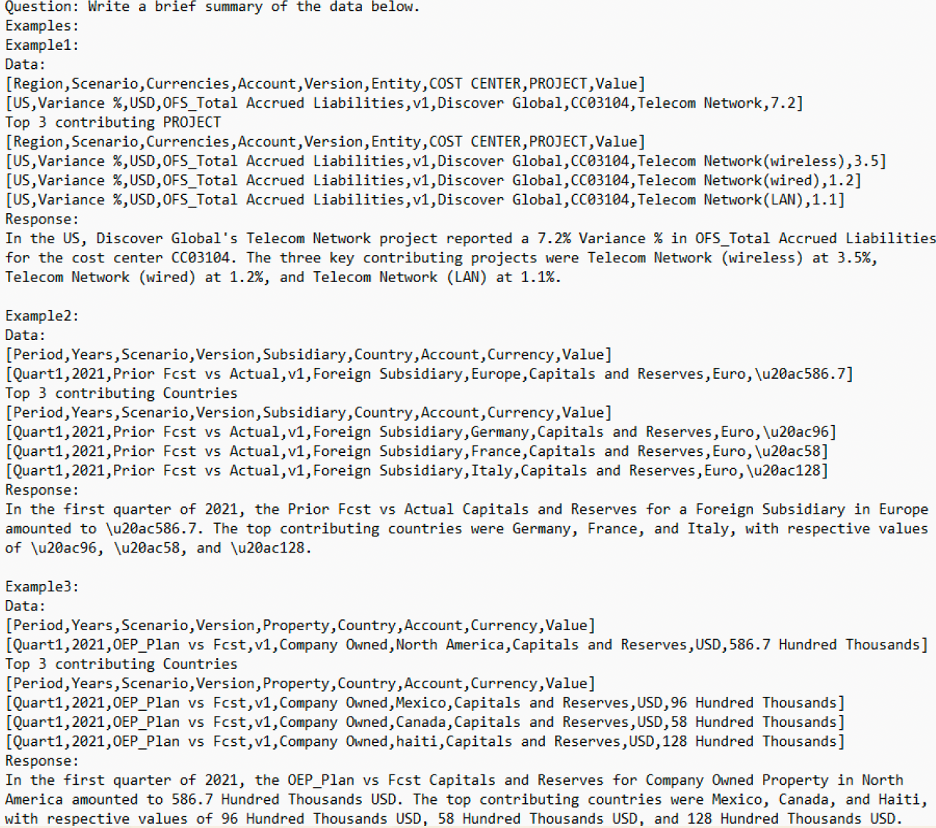
- CausalityAnalysisPromptTemplate.properties
- ComparativeAnalysisPromptTemplate.properties
- DescribingAnExceptionPromptTemplate.properties·
- NoteSummarizationPromptTemplate.properties
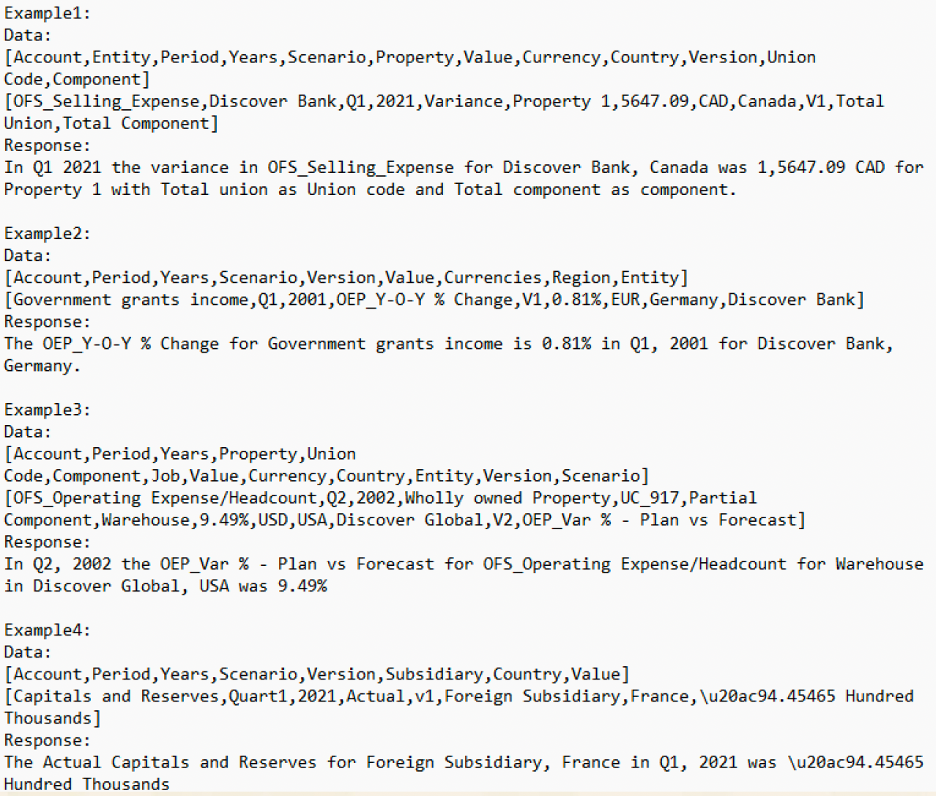
These templates:
- Are system‑level (not report‑specific)
- Standardize AI tone and structure
- Control how narratives are written
Best Practices for Prompt Templates
- Include 2–3 high‑quality examples
- Cover multiple realistic scenarios
- Avoid sensitive or confidential data
- Uploaded file name must exactly match the downloaded template
DescribingAnExceptionPromptTemplate
CausalityAnalysisPromptTemplate.properties
Overwrite and Governance Considerations
A key design principle here is controlled overwrite.
- AI text is generated at runtime
- It is not persisted back to data
- Existing conditional text logic still applies
This means:
- No accidental data corruption
- Clear audit boundaries
- AI acts as decision support, not decision authority
Oracle explicitly recommends reviewing all AI‑generated narratives before relying on them.
Considerations
This is where technical teams need to pay close attention.
Call Limits
- 1 AI call per conditional cell
- Maximum 150 calls per request
- Maximum 5 concurrent threads per environment
Design Implications
- Avoid excessive conditional cells
- Be cautious with bursting + GenAI
- Use causality sparingly on high‑cardinality dimensions
When Should You Not Use GenAI?
GenAI is not a replacement for
- Simple, deterministic text
- Regulatory‑grade disclosures
- High‑volume row‑level commentary
If Conditional Text already solves the problem cleanly, keep it.
Final Thoughts
Oracle’s approach to GenAI in Narrative Reporting is intentionally conservative, and that’s a good thing.
By anchoring AI generation to:
- Existing conditional logic
- Centralized prompt templates
- Strong governance boundaries
Oracle has delivered something that finance and EPM teams can actually adopt in production.
This is not about replacing analysts. It’s about reducing repetitive commentary and accelerating insight delivery, while keeping humans firmly in control. More AI‑driven capabilities are coming.